
Sites & Assets
Keep sites, equipment and asset history organised.
Create maintenance sheets. Send work to the field. Complete. Report.


14 days free. No obligation. No card required to request a trial.
Keep sites, equipment and asset history organised.
Create consistent digital maintenance sheets for every asset type.
Plan work with due dates, calendar views and Field User assignments.
Assign, complete and submit maintenance visits from the same system.
Give Field Users a focused view of the work assigned to them.
Create professional customer reports from submitted visits.
Keep working where signal is poor and sync when connection returns.
Scan an asset and get straight to the information and work that matters.
Capture evidence and customer sign-off as part of the visit.
Surface faults, notes and recommendations from completed maintenance quickly.
Build the process once, send clear work to Field Users, then turn completed maintenance into useful office actions.
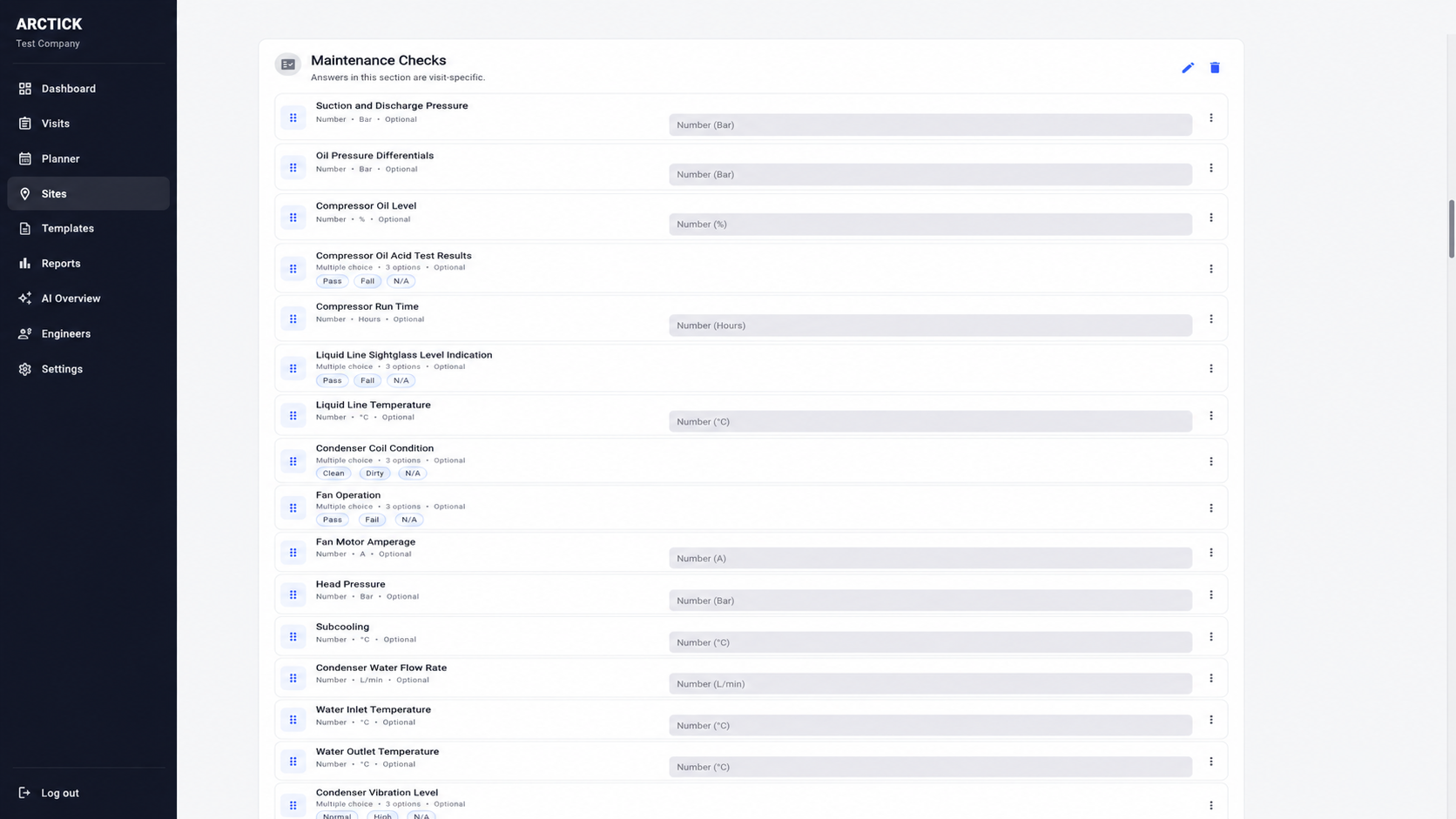
Build digital maintenance, inspection and commissioning sheets around the checks your team already carries out.
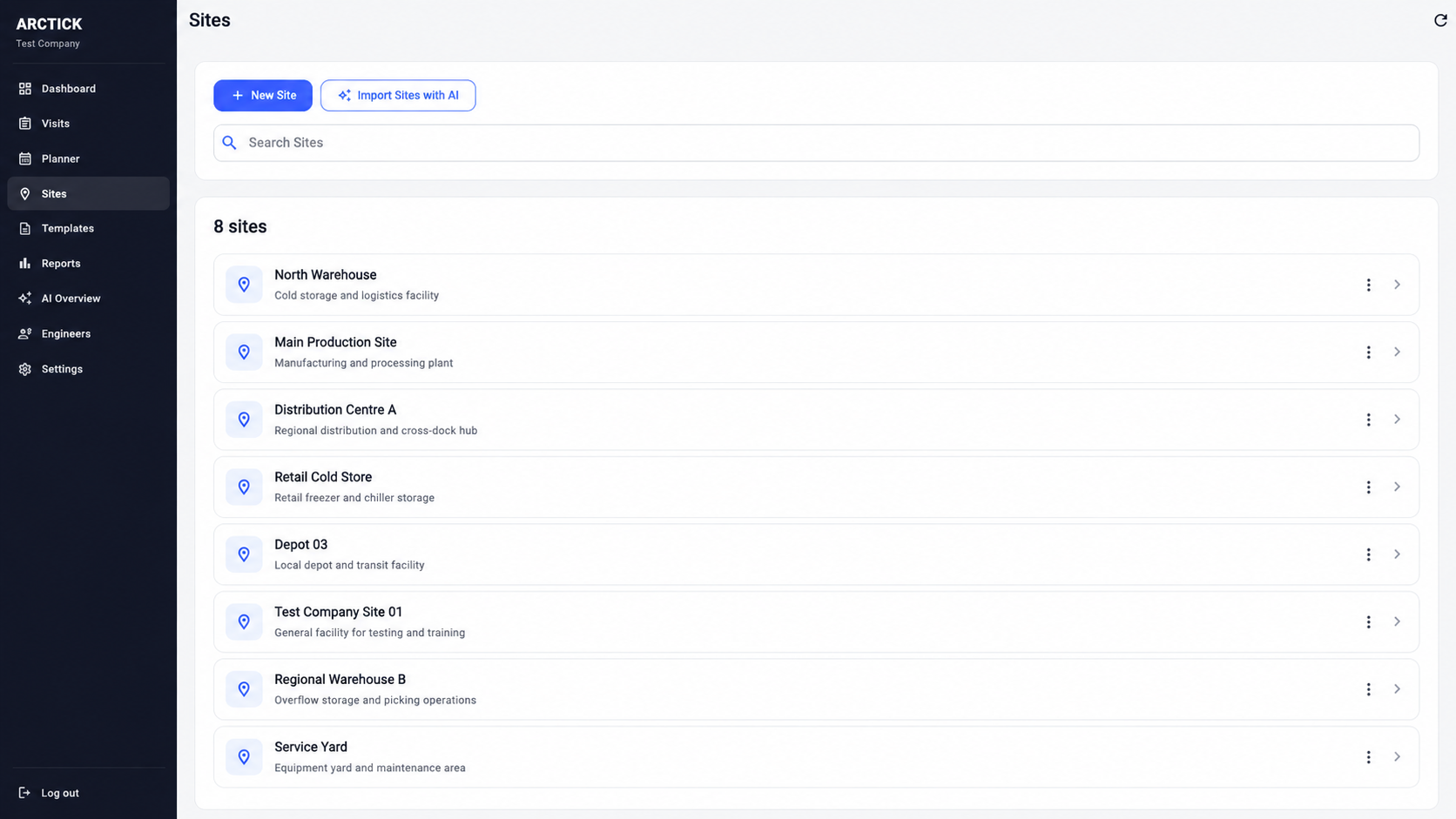
Organise customer locations in one place so every visit, asset and report stays connected to the right site.
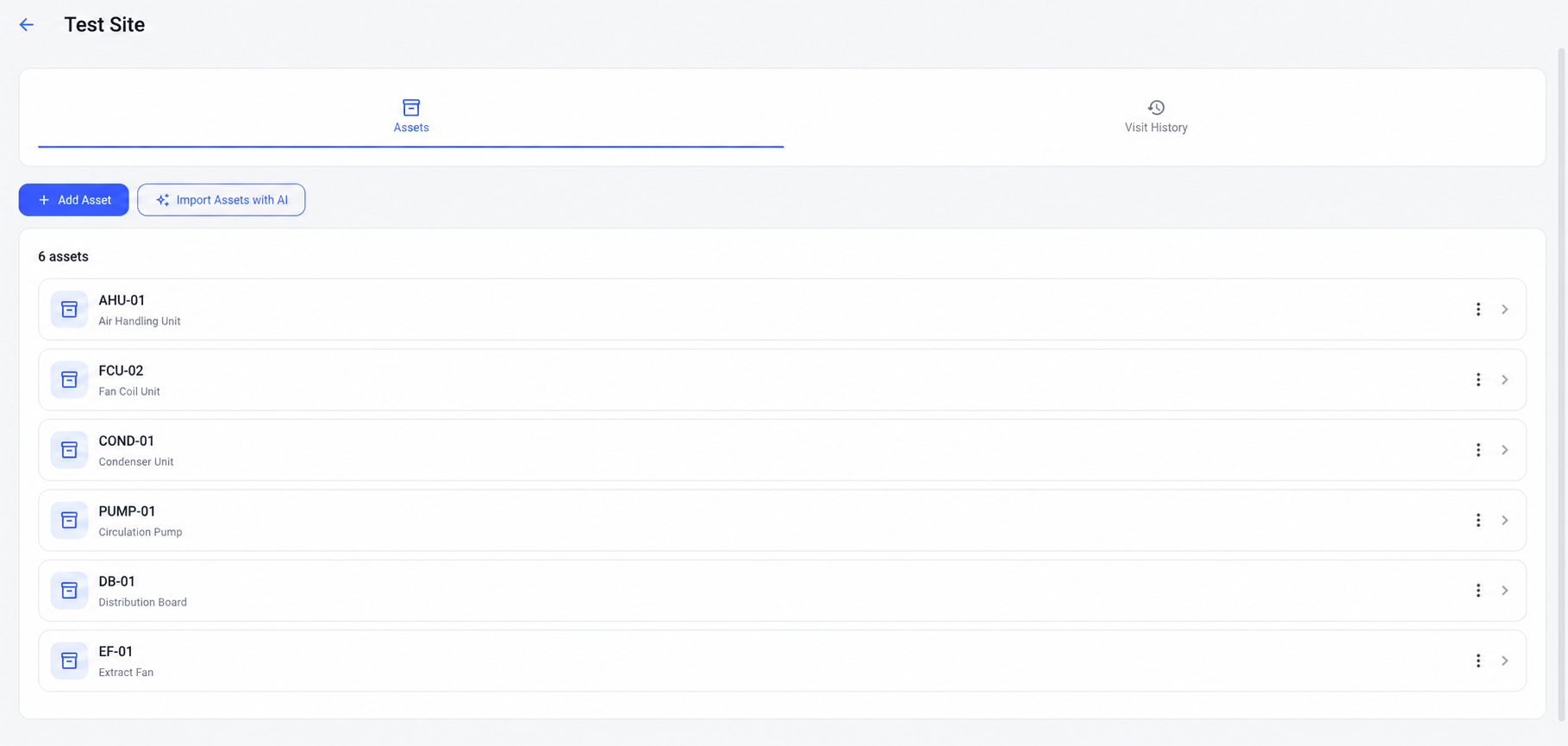
Add the equipment you maintain and apply the relevant sheet or sheets to each asset so Field Users always receive the correct checks.
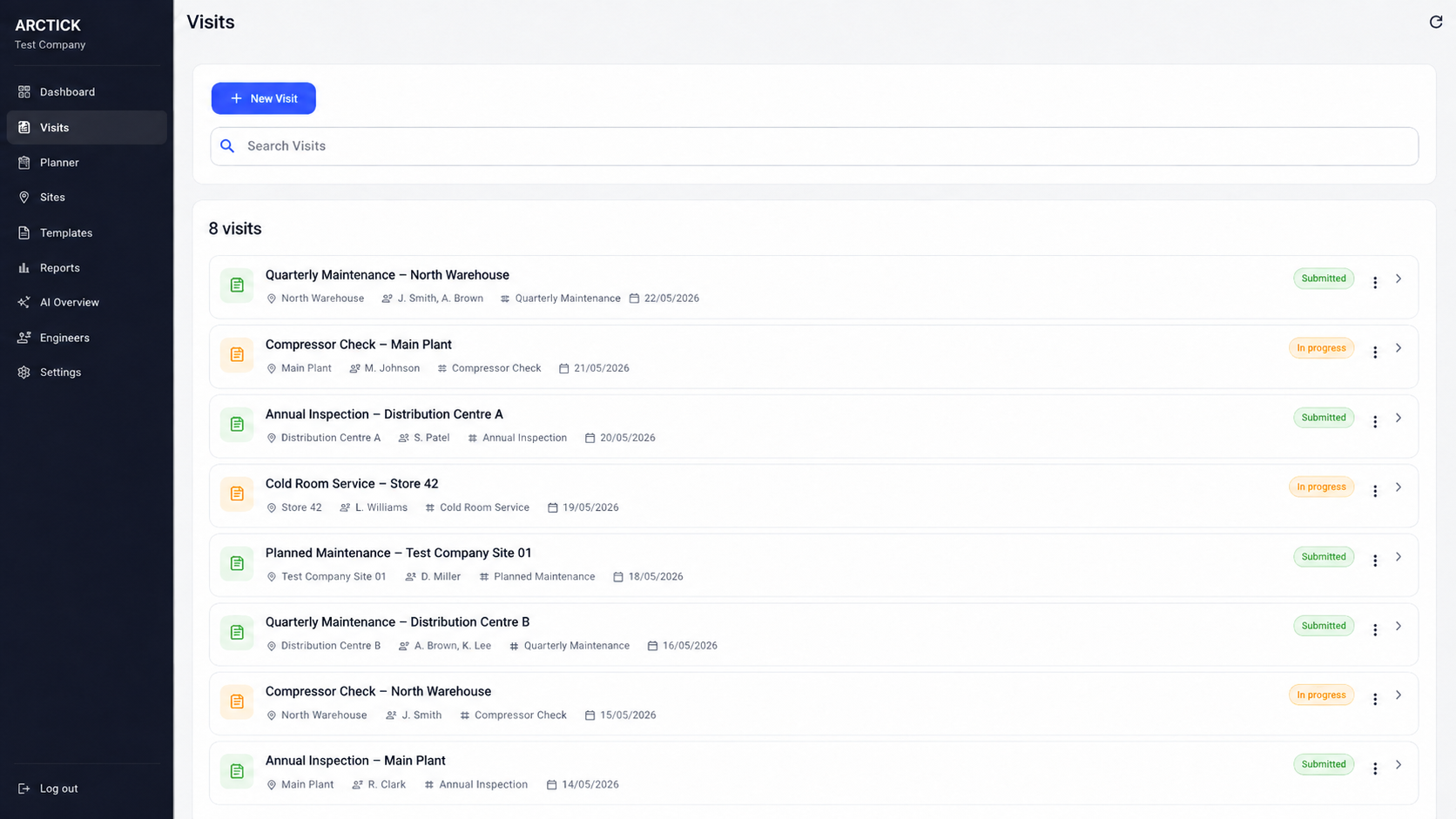
Plan the work, choose the site and assets, assign the Field User or field team, and send the visit straight to their field view.
Field Users open assigned visits, complete asset sheets, capture readings, photos, notes and signatures, then sync or submit the work back to the office.
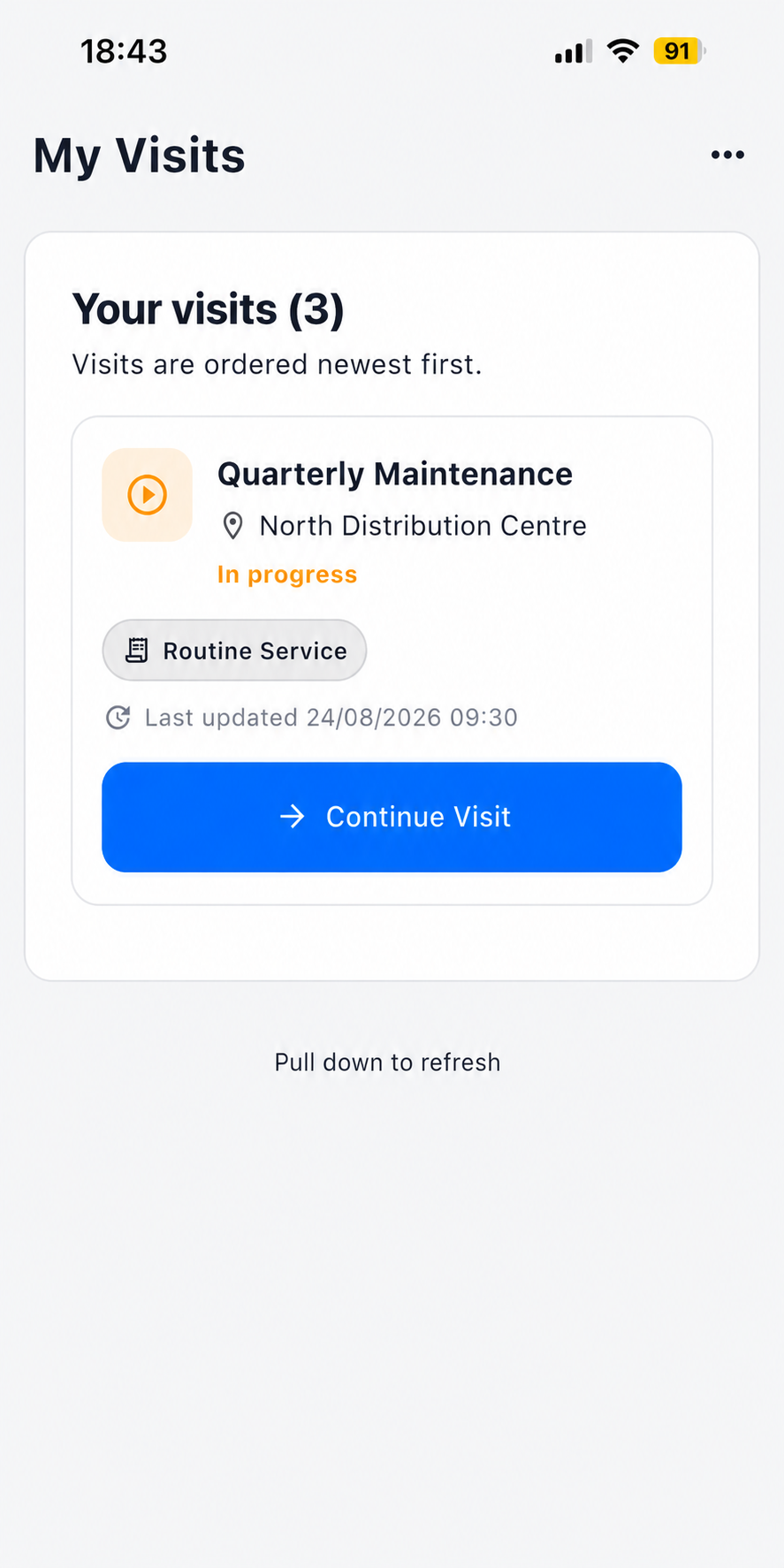
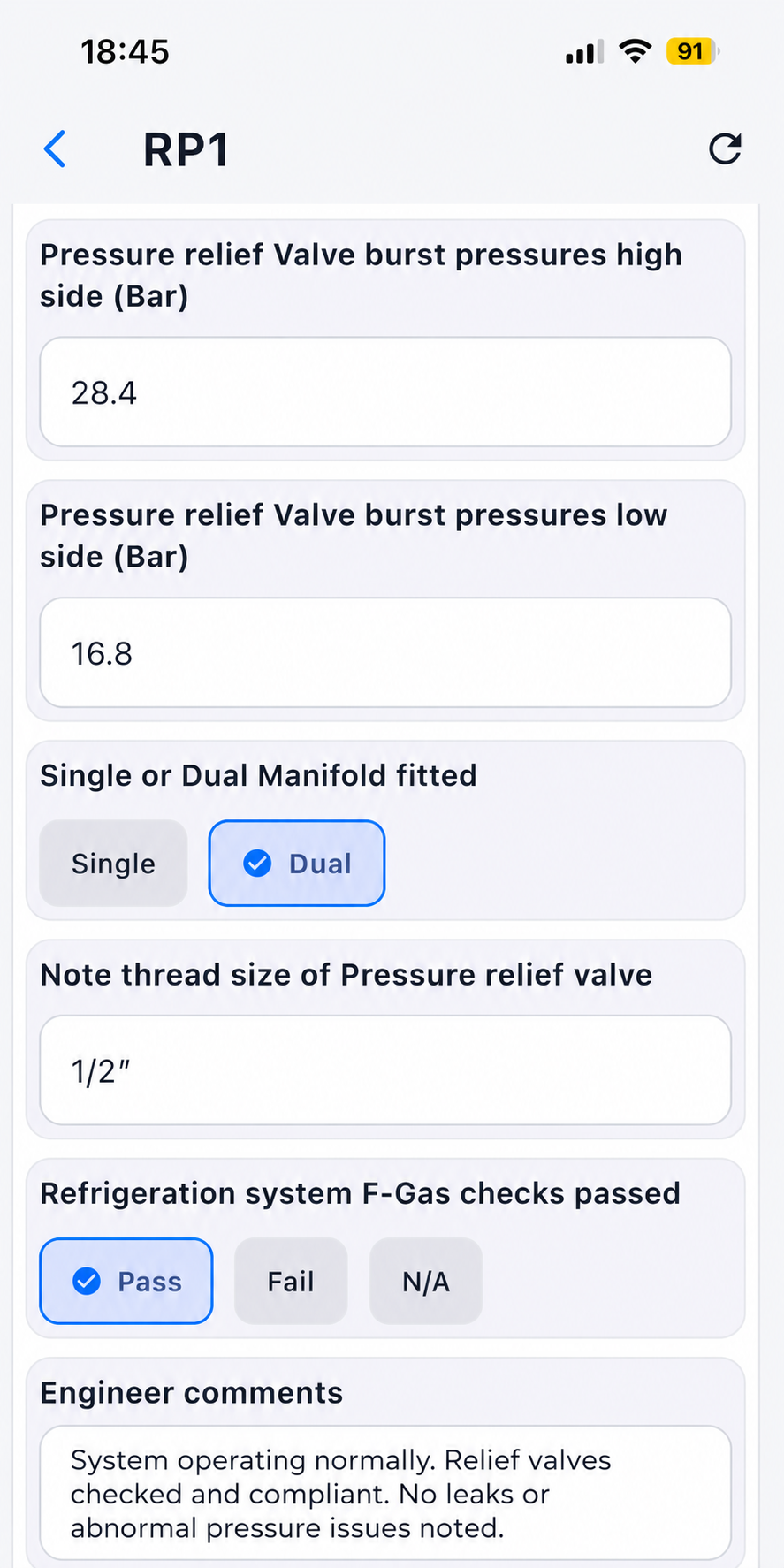
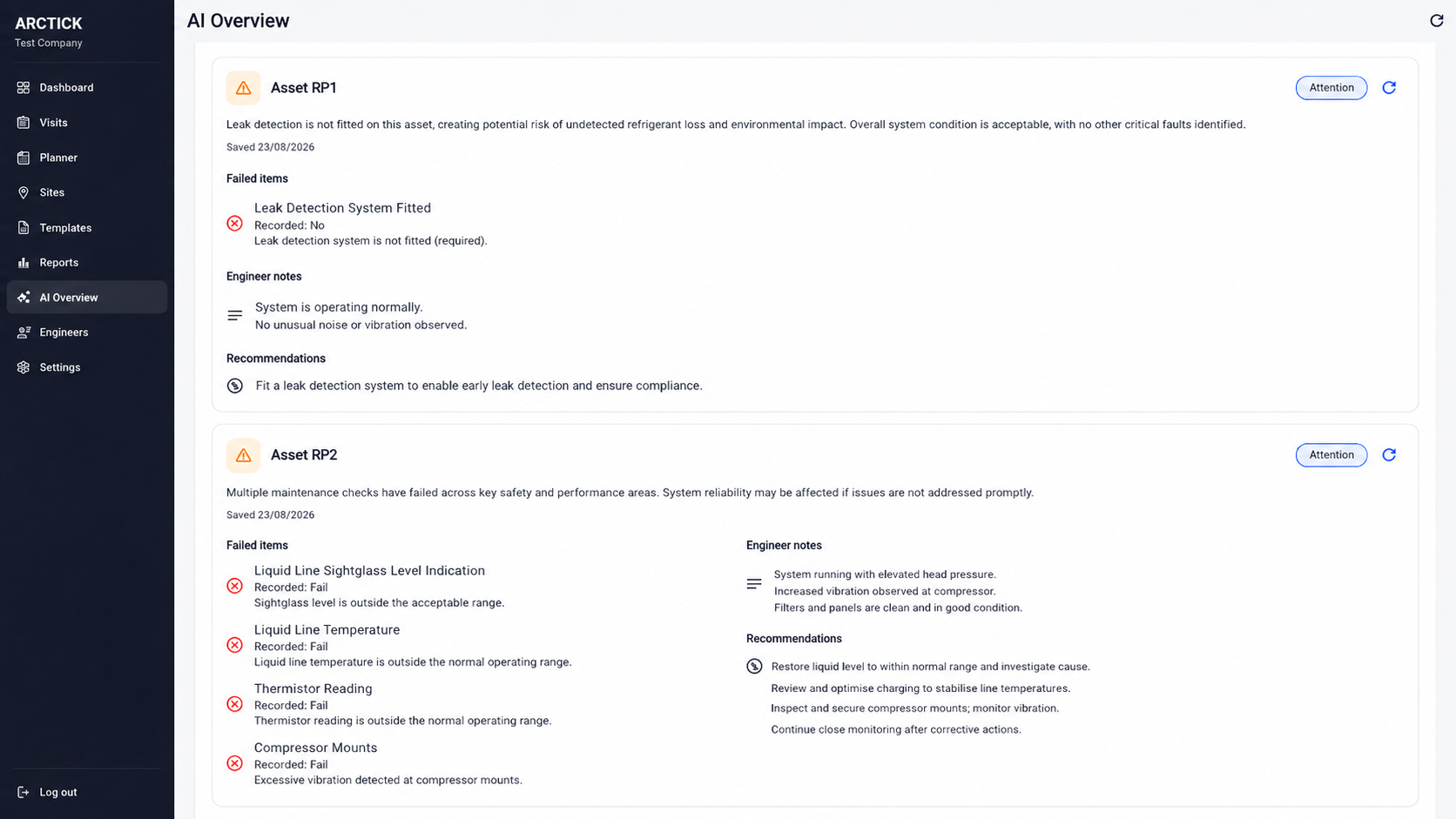
The office can use AI Overview to surface failed checks, Field User notes and recommendations quickly, making it easier to identify work that needs a quote or return visit.
If your Field Users work from recurring check sheets, inspections, service visits or commissioning records, Arctick can fit the workflow.
Planned maintenance, servicing, commissioning and asset records.
F-Gas checks, cold rooms, packs, condensers and refrigeration plant.
Inspection, testing, planned maintenance and remedial follow-up.
Multi-site planned maintenance across mixed building assets.
Routine inspections, compliance checks and evidence capture.
Service visits, inspection records, defects and customer sign-off.
Plant-room checks, pumps, water systems and mechanical services.
Coordinate recurring maintenance across mechanical and electrical assets.
Machine inspections, preventative maintenance and fault reporting.
Standardise inspections and maintenance across property portfolios.
Replace paper or spreadsheet field sheets with structured digital forms for checks, readings, evidence and sign-off.
Any team that sends people into the field to inspect, maintain, commission, service or record work can use Arctick.
Arctick turns maintenance sheets, service sheets, inspection forms and commissioning records into structured digital workflows. Office teams create the sheet once, assign it to assets and visits, and Field Users complete the same checks in the field from phone, tablet or web.
Completed field maintenance sheets stay connected to the site, asset, Field User and visit, making it faster to review history, produce reports and identify remedial work.
Arctick is field maintenance software for businesses that need repeatable maintenance, inspection, servicing or commissioning sheets. It combines sheets, sites, assets, planned visits, Field User field forms, offline working, PDF reporting and AI-assisted fault review.
Paper maintenance sheets, PDF checklists, spreadsheet service records and disconnected field forms can be moved into a single auditable maintenance workflow.
Move to Arctick without rebuilding your maintenance process from scratch.
Upload an existing maintenance sheet as an image, PDF or document.
Arctick reads the sheet and creates a digital sheet using the same fields and checks, ready for review.
Field Users move from the old sheet to Arctick without learning a completely different set of checks.
We can migrate your existing sheets into Arctick for you as an additional paid service. Mention it in the free trial form and we’ll discuss what you need and the cost.
Every plan starts with 1 Admin and 1 Field User for £40/month. As your team grows, additional accounts become progressively cheaper automatically.
Need additional users or have a special request? Tell us in the free trial form and we’ll tailor the setup to your needs.
After Field Users submit maintenance, Arctick can review completed sheets and highlight faults, recommendations and Field User notes that may need follow-up.
The office gets a quick view of what needs attention so quotes can be prepared and sent to customers faster.
Digital maintenance sheets are electronic versions of maintenance checklists and service forms. They let Field Users record readings, pass/fail checks, notes, photos and signatures while keeping the completed record connected to the correct site and asset.
Yes. Arctick is designed for maintenance and inspection work completed in the field. Field Users receive assigned visits, complete asset-specific sheets and synchronise the work back to the office.
Yes. Assigned visit data can be stored securely on the Field User's device so work can continue where signal is poor, then be synchronised with the office when a connection returns.
Arctick can support HVAC, refrigeration, electrical, facilities management, health and safety, fire and security, plumbing, mechanical services, industrial maintenance and other teams that use recurring field sheets or inspection forms.
Yes. Upload your current maintenance sheets and Arctick uses AI to turn them into digital sheets, keeping the familiar checks your team already uses while moving away from paper, PDFs or spreadsheets.
AI Overview can help office teams quickly surface failed checks, Field User notes and recommendations from completed maintenance, making it easier to identify follow-up work and prepare quotes.
Tell us a little about your team and we’ll get your no-obligation 14-day trial set up. No card is required to request your trial.
Prefer to see it first? Mention that in the form and we can arrange a walkthrough.